'%3e%3cpath%20d='M%2034%20-106.8%20L%20173.5%20-141.7%20A%2011.8%2027.3%200%200%201%20173.5%20-87.1%20L%2034%20-82.8%20Z'%20fill='%23ffffff'%20/%3e%3cpath%20d='M%20-28%20-48%20L%2028%20-48%20L%2064%20112%20L%20-64%20112%20Z'%20fill='%23ffffff'%20/%3e%3cpath%20d='M%20-88%20112%20L%2088%20112%20L%20108%20158%20L%20-108%20158%20Z'%20fill='%23ffffff'%20/%3e%3crect%20x='-50'%20y='-62'%20width='100'%20height='14'%20fill='%23ffffff'%20/%3e%3cpath%20d='M%20-34%20-97.2%20L%20-173.5%20-93.0%20A%2011.8%2027.3%200%200%200%20-173.5%20-38.4%20L%20-34%20-73.2%20Z'%20fill='%23ffffff'%20/%3e%3crect%20x='-30'%20y='-122'%20width='60'%20height='62'%20fill='%23ffffff'%20/%3e%3cpath%20d='M%20-50%20-122%20A%2056%2056%200%200%201%2050%20-122%20Z'%20fill='%23ffffff'%20/%3e%3ccircle%20cx='0'%20cy='-155'%20r='12'%20fill='%23ffffff'%20/%3e%3c/g%3e%3c/svg%3e) Proval
ProvalSet LLM
Add a model provider in Proval with Base URL, API key, and model ID.
Proval sends review context to the LLM endpoint you configure. Your code and review context go only to the Base URL you set. Proval does not host or proxy models.
This guide covers how to fill in the model provider form in the dashboard. For ready-made endpoint values, see the example guides:
- OpenRouter: cloud models through one API key
- llama.cpp: local or on-prem inference
Prerequisites
- Proval is running (Quick Start)
- You can open the dashboard at
http://<your-server>:7900
Choose an API provider
In Model Provider → Add model provider, pick the provider that matches your endpoint:
| Provider in Proval | Protocol | Use when |
|---|---|---|
| OpenAI | Chat Completions API | OpenRouter, llama.cpp, Ollama, vLLM, or any OpenAI-compatible server |
| Anthropic | Messages API | Anthropic directly, or a proxy that speaks the Messages API |
Most self-hosted and aggregator setups use OpenAI (Chat Completions). Switch to Anthropic only when your endpoint expects the Messages API.
Fill in the model provider form
- Open the dashboard → Model Provider → Add model provider
- Complete each field:
| Field | What to enter |
|---|---|
| Display Name | A label for your team, e.g. Main Reviewer |
| API Provider | OpenAI or Anthropic (see above) |
| Model ID | The model name your API expects, e.g. anthropic/claude-sonnet-4.6 or llama-3.1-8b-instruct |
| Base URL | Root URL of the API, including /v1 when your server uses it, e.g. https://openrouter.ai/api/v1 or http://<llm-host>:8080/v1 |
| API Key | Key required by that endpoint (sk-or-..., sk-ant-..., or a placeholder if the server has no auth) |
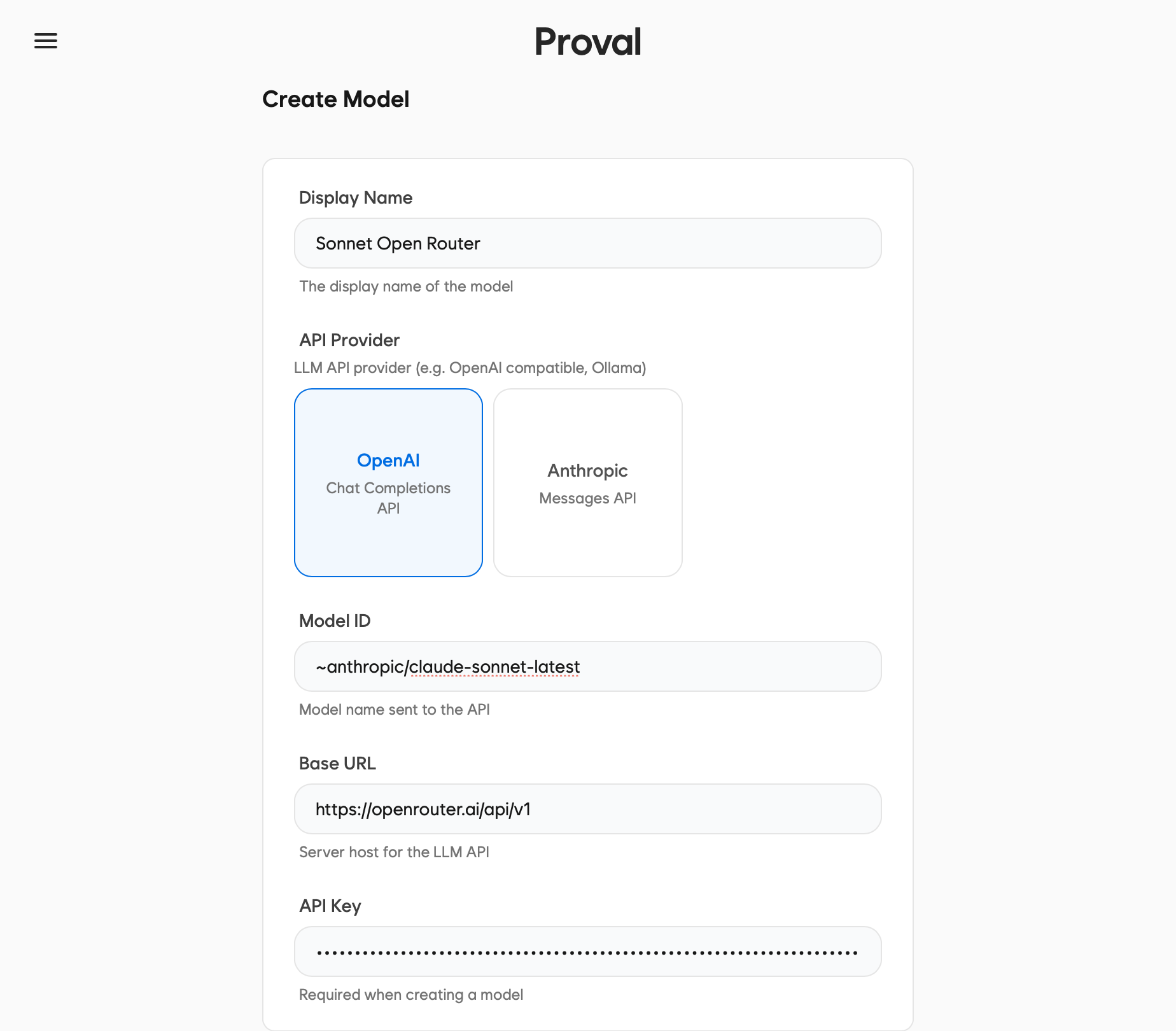
Base URL + API key are the two values that define where requests go and how they authenticate. Get them from your provider. OpenRouter and llama.cpp walk through common cases.
Test and save
- Click Test Connection. You should see Connection successful
- Click Create
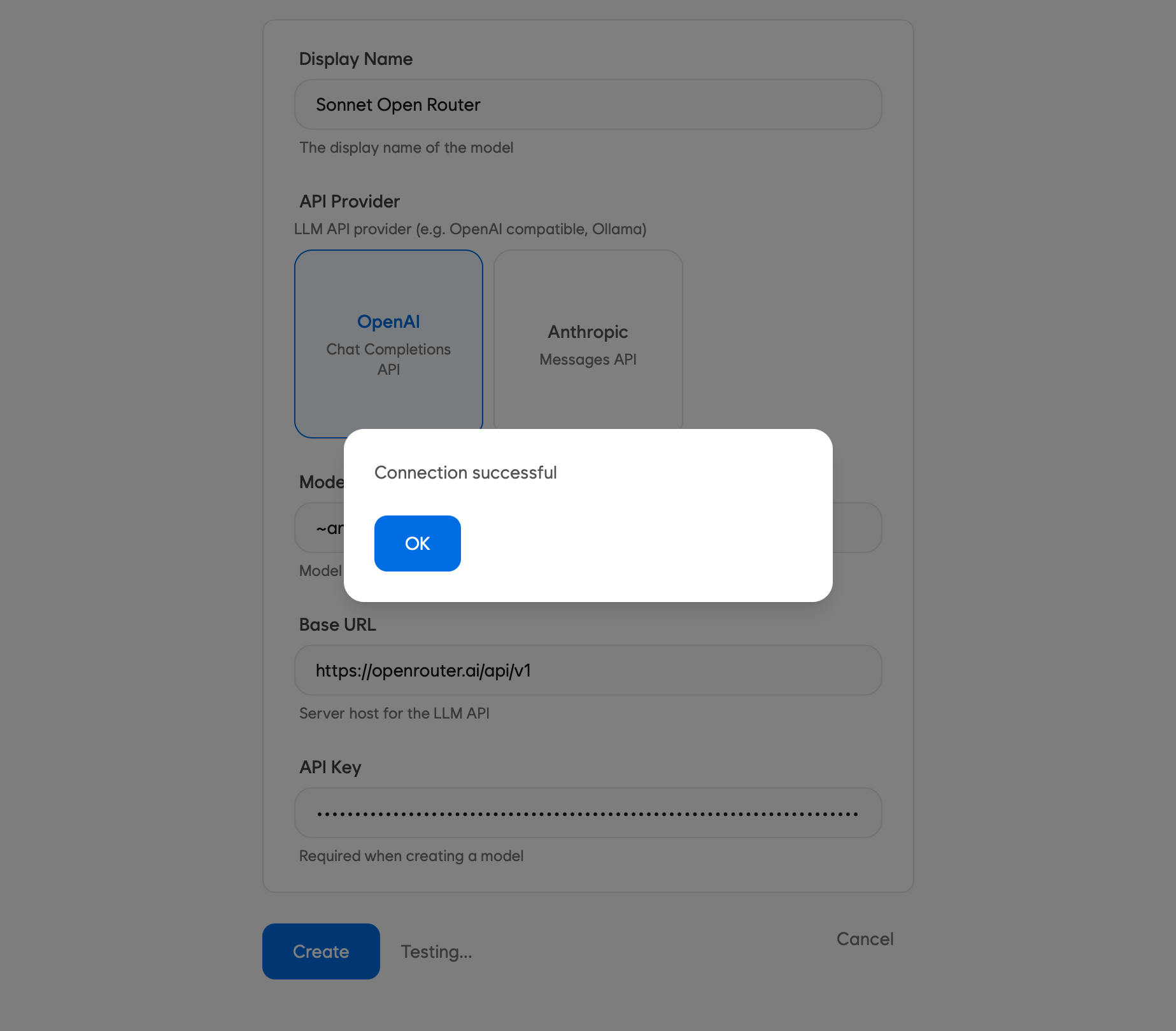
If the test fails, double-check Base URL, Model ID, and API Key against your provider's docs. Wrong provider type (OpenAI vs Anthropic) is a common mistake.
What's next
Connect your Git host and link a repository: