'%3e%3cpath%20d='M%2034%20-106.8%20L%20173.5%20-141.7%20A%2011.8%2027.3%200%200%201%20173.5%20-87.1%20L%2034%20-82.8%20Z'%20fill='%23ffffff'%20/%3e%3cpath%20d='M%20-28%20-48%20L%2028%20-48%20L%2064%20112%20L%20-64%20112%20Z'%20fill='%23ffffff'%20/%3e%3cpath%20d='M%20-88%20112%20L%2088%20112%20L%20108%20158%20L%20-108%20158%20Z'%20fill='%23ffffff'%20/%3e%3crect%20x='-50'%20y='-62'%20width='100'%20height='14'%20fill='%23ffffff'%20/%3e%3cpath%20d='M%20-34%20-97.2%20L%20-173.5%20-93.0%20A%2011.8%2027.3%200%200%200%20-173.5%20-38.4%20L%20-34%20-73.2%20Z'%20fill='%23ffffff'%20/%3e%3crect%20x='-30'%20y='-122'%20width='60'%20height='62'%20fill='%23ffffff'%20/%3e%3cpath%20d='M%20-50%20-122%20A%2056%2056%200%200%201%2050%20-122%20Z'%20fill='%23ffffff'%20/%3e%3ccircle%20cx='0'%20cy='-155'%20r='12'%20fill='%23ffffff'%20/%3e%3c/g%3e%3c/svg%3e) Proval
ProvalOpenRouter example
Create an OpenRouter API key for Proval.
OpenRouter exposes many cloud models through a single OpenAI-compatible API. This guide covers creating an API key. To add the model provider in Proval, follow Set LLM.
Prerequisites
- Proval is running (Quick Start)
Create an API key
- Sign in at openrouter.ai
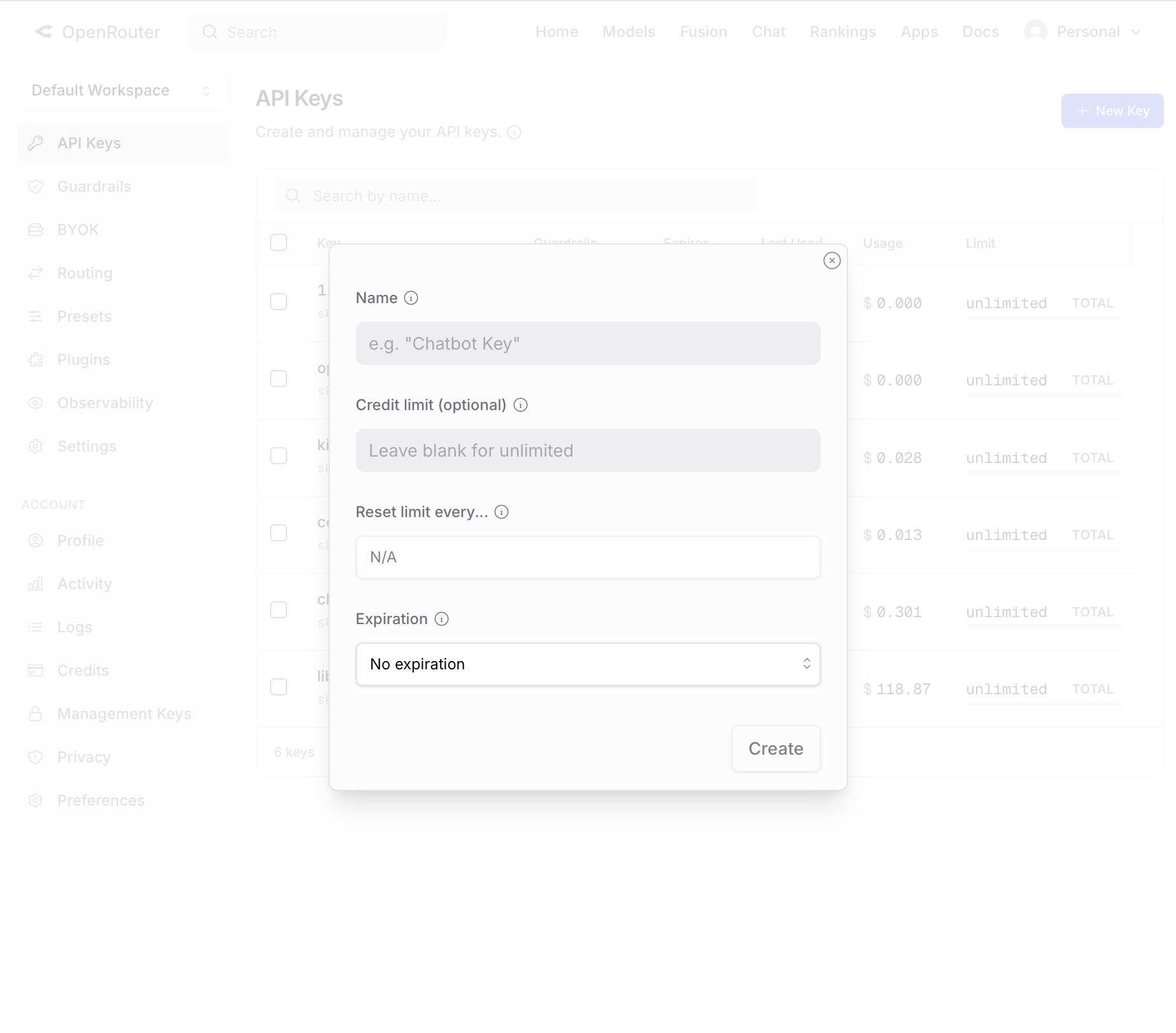
- Open API Keys in your workspace
- Click New Key, give it a name, and click Create
- Copy the key (
sk-or-...)
When you fill in the model provider form, use Base URL https://openrouter.ai/api/v1, API Provider OpenAI, and your sk-or-... key. Choose a model ID for the Model ID field. See Set LLM for the full form and connection test.