'%3e%3cpath%20d='M%2034%20-106.8%20L%20173.5%20-141.7%20A%2011.8%2027.3%200%200%201%20173.5%20-87.1%20L%2034%20-82.8%20Z'%20fill='%23ffffff'%20/%3e%3cpath%20d='M%20-28%20-48%20L%2028%20-48%20L%2064%20112%20L%20-64%20112%20Z'%20fill='%23ffffff'%20/%3e%3cpath%20d='M%20-88%20112%20L%2088%20112%20L%20108%20158%20L%20-108%20158%20Z'%20fill='%23ffffff'%20/%3e%3crect%20x='-50'%20y='-62'%20width='100'%20height='14'%20fill='%23ffffff'%20/%3e%3cpath%20d='M%20-34%20-97.2%20L%20-173.5%20-93.0%20A%2011.8%2027.3%200%200%200%20-173.5%20-38.4%20L%20-34%20-73.2%20Z'%20fill='%23ffffff'%20/%3e%3crect%20x='-30'%20y='-122'%20width='60'%20height='62'%20fill='%23ffffff'%20/%3e%3cpath%20d='M%20-50%20-122%20A%2056%2056%200%200%201%2050%20-122%20Z'%20fill='%23ffffff'%20/%3e%3ccircle%20cx='0'%20cy='-155'%20r='12'%20fill='%23ffffff'%20/%3e%3c/g%3e%3c/svg%3e) Proval
ProvalForgejo
Connect Forgejo to Proval with a personal access token and repository webhook.
Connect Forgejo to Proval with a personal access token, the Proval dashboard forms, and a repository webhook.
External network. If Forgejo reaches Proval over the public internet, use
https://(reverse proxy in front of port 7901). Internal LANhttp://is fine for many self-hosted setups.
Prerequisites
- Quick Start completed. Proval is running
- A model provider configured in Proval
- Forgejo can reach Proval on port 7901 (Network)
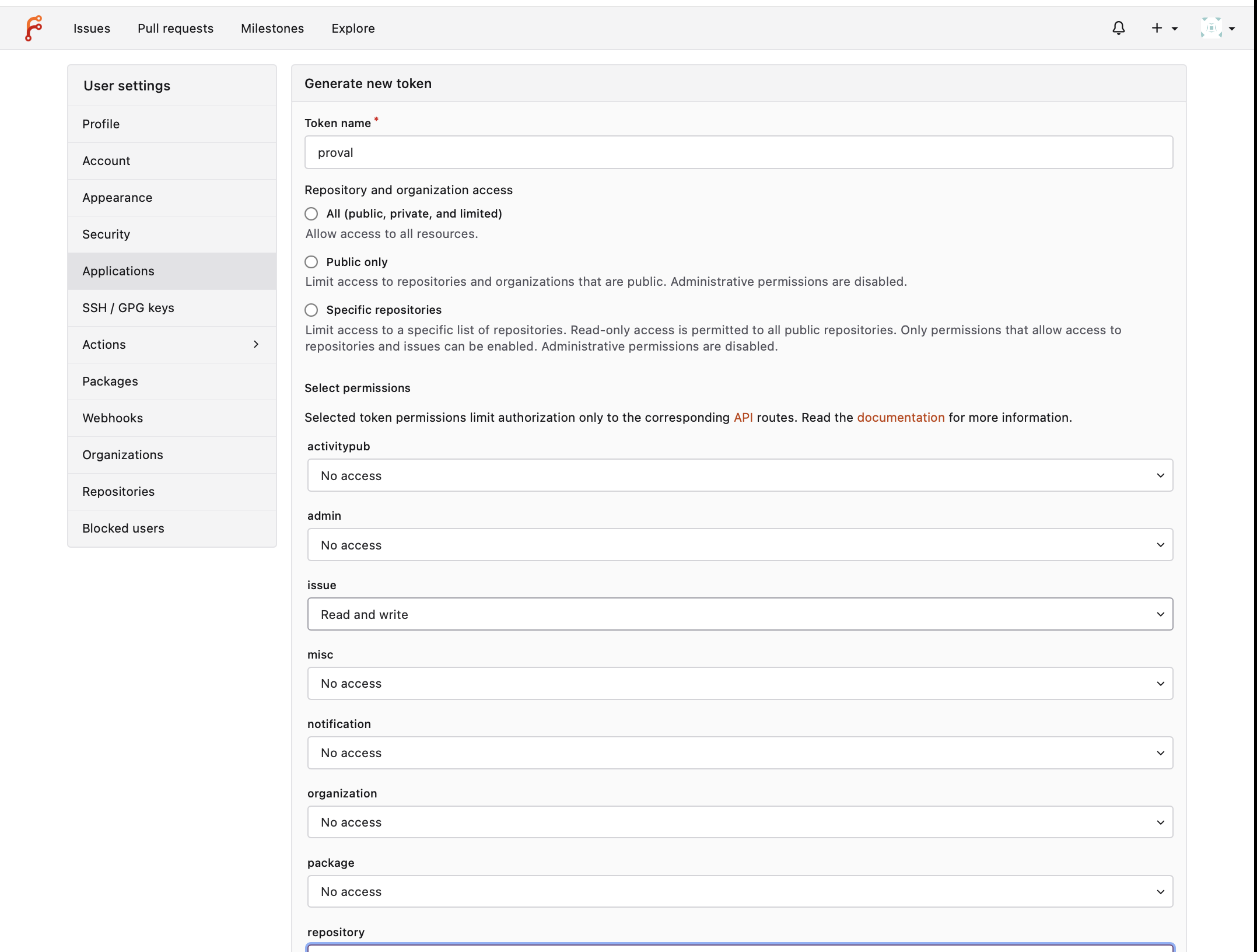
Step 1: Personal access token
- Profile → Settings → Applications → Generate New Token
- Select
read_apiandwrite_repository
Step 2: Connect in Proval
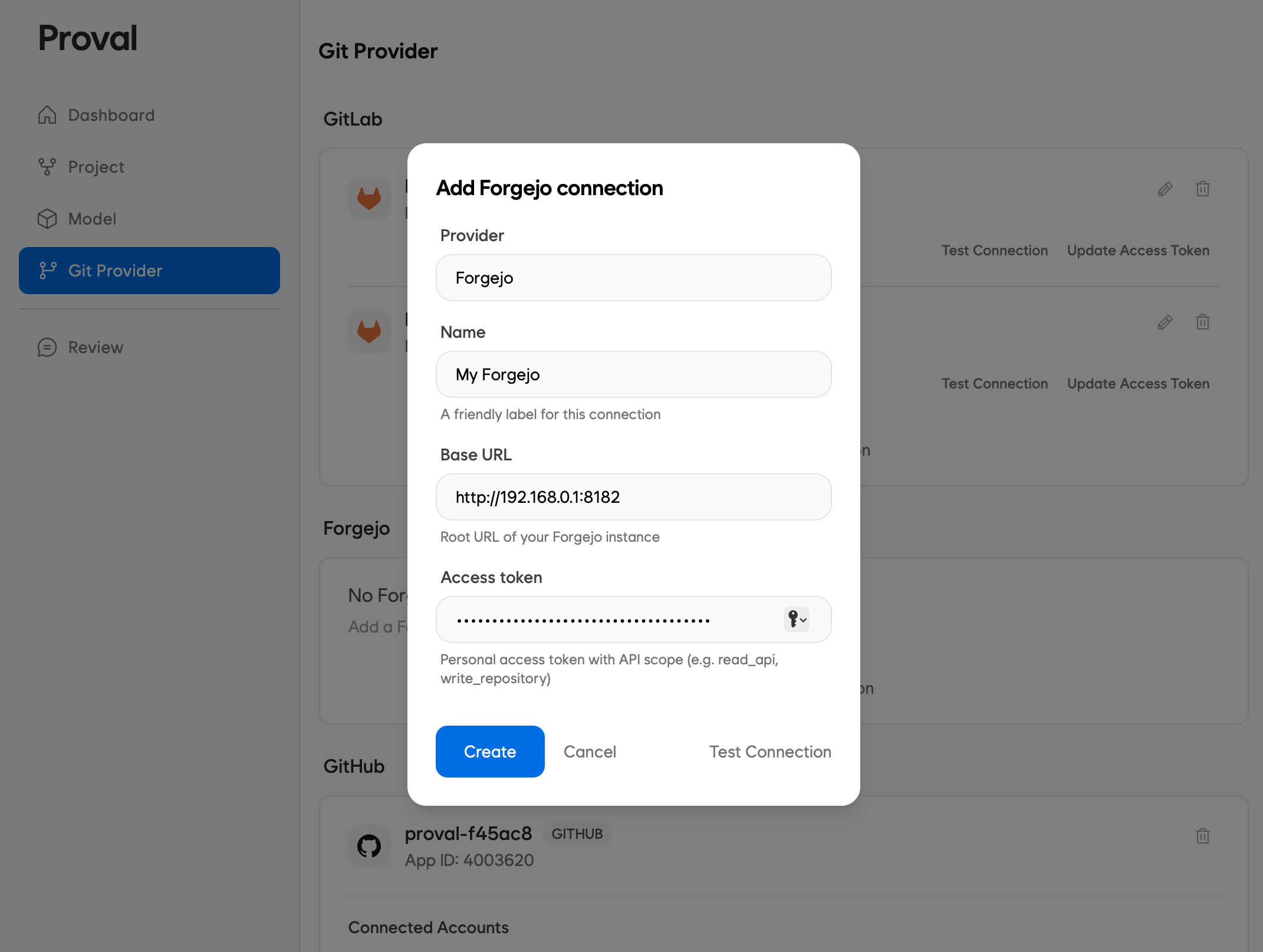
Forgejo connection
- Dashboard → Git Provider → Add Forgejo connection
- Fill in the form
- Test Connection, then save
Repository
- Repositories → Add repository
- Fill in the form
- Create
Use the same webhook secret in Step 3.
Step 3: Repository webhook
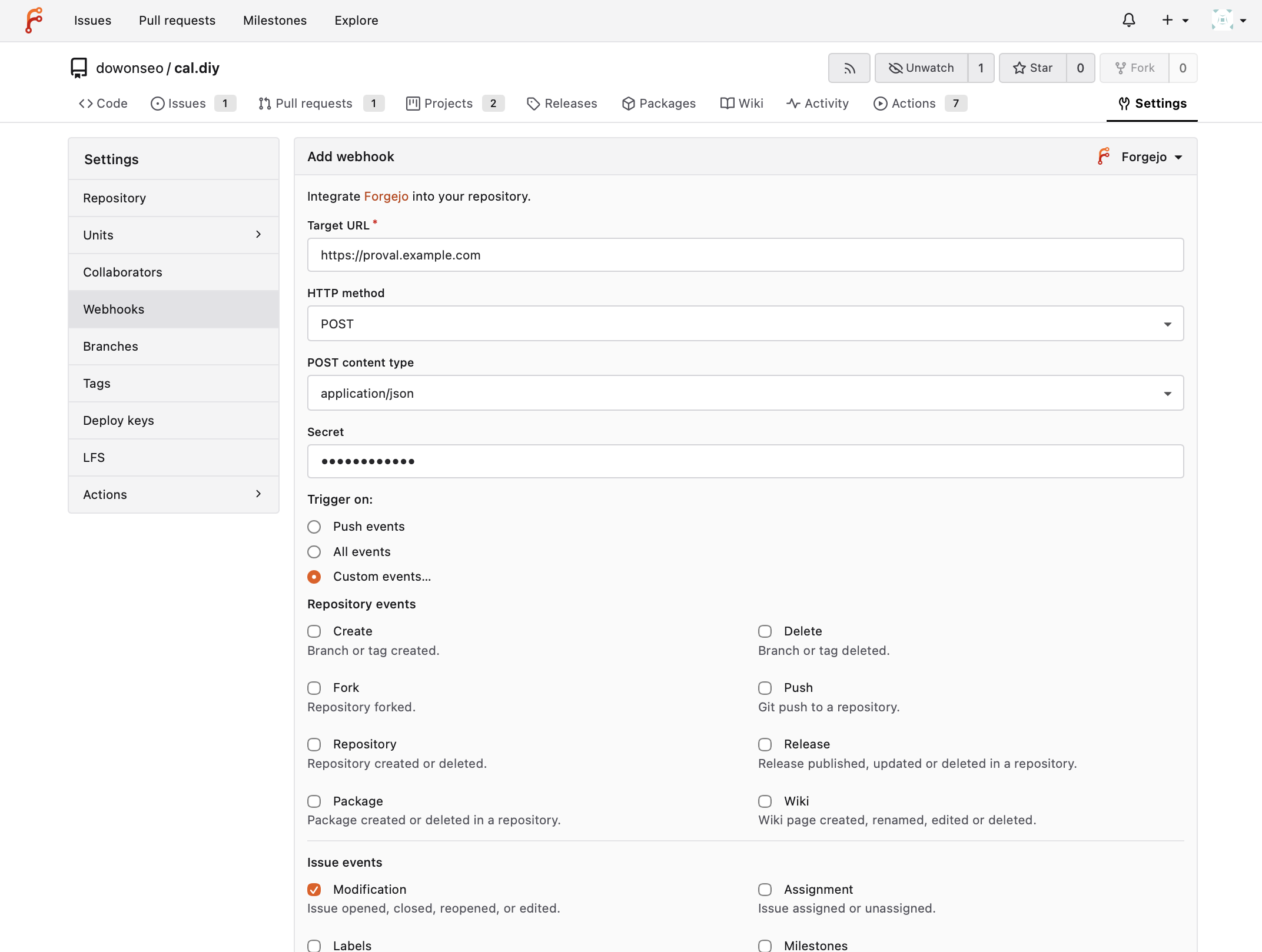
http://<your-server>:7901/webhook/forgejo
Use https:// when TLS terminates before Proval. LAN http:// may require allow internal webhooks.
- Repository → Settings → Webhooks → Add Webhook → Forgejo
- Fill in the form
- Select All events, or Custom events and enable:
- Pull request events → Modification
- Pull request events → Comments
- Issue events → Modification
- Issue events → Comments
Pull request modification covers open, sync, reopen, and ready for review. Proval reviews on first push or every push per repository settings, and skips drafts until ready.
Instance admins can add the same webhook for all repositories under Site administration → Default webhooks.
Allow internal HTTP webhooks
When Forgejo and Proval are on a private LAN with plain http://:
- Edit Forgejo
app.ini(no GUI) - Set
ALLOWED_HOST_LISTand restart Forgejo
[webhook]
ALLOWED_HOST_LIST = private,192.168.1.10
Docker Compose:
environment:
    - GITEA__webhook__ALLOWED_HOST_LIST=private,192.168.1.10
Troubleshooting
- 401 — secret does not match Proval
- 404 — repository not registered in Proval
- Host not allowed — Allow internal webhooks
- No review — Forgejo cannot reach port 7901, or events not enabled
- Test connection fails — invalid token or missing scopes